YEAR 10 DIGITAL MEDIA
  • Animation
    • What is a pixel?
    • Drawing with Pixels
    • Learning to animate
    • Animation Assessment
  • Image editing
    • GIMP tutorial
    • Gimp Activities 2
  • Video
    • Adobe After Effects Basics
    • Exporting to Youtube
    • Light Saber Tutorial
    • Disappear + Production Crate
  • Design
    • Planning and Brainstorming
    • Social-Ethical Issues
    • End-User Requirements
    • Iterative Development
  • 3D Modelling
  • Assessments
    • 1.) Media Portfolio
    • 2.) Media Outcome
  • Measurement
    • Measurement in Minecraft
  • Other Lessons
    • File Types & Exporting
    • Media Terms
  • Freyberg Digital

Iterative Development

Picture
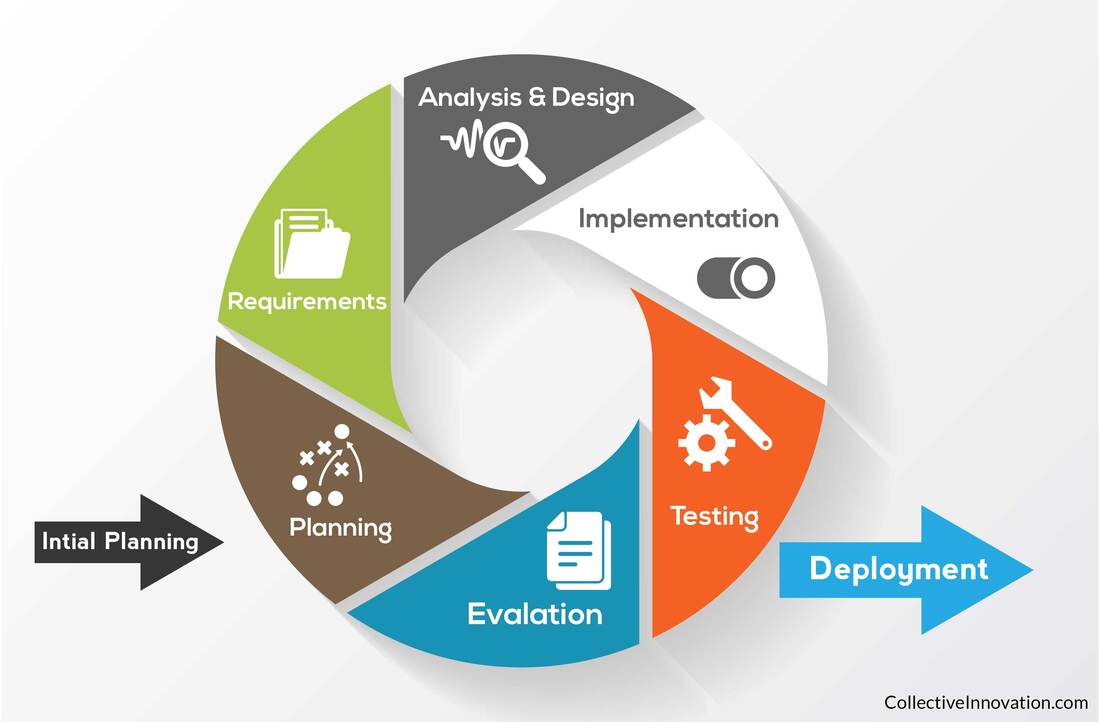
Iterative Development - A Path to SuccessEvery assessment allows one to get Excellence through Iterative Development. Iterative development is a way of working to ensure quality in your outcome. Here is how it works in terms of creating a website:

1.) Come up with an initial plan (timeline, product description etc)

2.) List the requirements
3.) Create your initial design and then implement it
4.) Test it with your co-workers
5.) Evaluate it.

6.) Repeat steps 2-5 again until you feel that your outcome is ready

​Note: For any sort of excellence grade I would expect at least 2-3 repeats of steps 2-5.

Iterative Development Task - New Lock Screen for the computers

Miss Brown wants a new lock screen for the computers in this class.

Your job is to design and create a new one using
www.pixilart.com/

or

Gimp/Photoshop

You must go through the planning process and go through iterative development life cycle 3 times.

Go to One-note and complete the iterative development worksheet
Picture
1. Initial Planning
  • Your outcome is a lock screen!
  • ​To determine your target audience you need to think about WHO is using your product? WHO is your end user?
  • Use www.mindmup.com to make your brainstorm
  • Before you create your first design you need to research what size screen you are designing! 

Picture
Powered by Create your own unique website with customizable templates.
  • Animation
    • What is a pixel?
    • Drawing with Pixels
    • Learning to animate
    • Animation Assessment
  • Image editing
    • GIMP tutorial
    • Gimp Activities 2
  • Video
    • Adobe After Effects Basics
    • Exporting to Youtube
    • Light Saber Tutorial
    • Disappear + Production Crate
  • Design
    • Planning and Brainstorming
    • Social-Ethical Issues
    • End-User Requirements
    • Iterative Development
  • 3D Modelling
  • Assessments
    • 1.) Media Portfolio
    • 2.) Media Outcome
  • Measurement
    • Measurement in Minecraft
  • Other Lessons
    • File Types & Exporting
    • Media Terms
  • Freyberg Digital