Media Outcome - Freyberg School for Magic
|
Freyberg High School is well known amongst magicians in the Manawatu for its courses in the use of magic.
The school wants to develop its global reputation as a leader in training young wizards. Your job is to create a series of different media outputs to help spruce up their website and bring some global attention. You need to create two of the following media outputs for the school website: - Video showcasing a magic move - A pixel art animation - A photo showing your magically ability |

A animated pixel art gif from the much inferior Hogwarts school for magic
Feel free to take inspiration from existing media and franchises. Here are some examples:
|
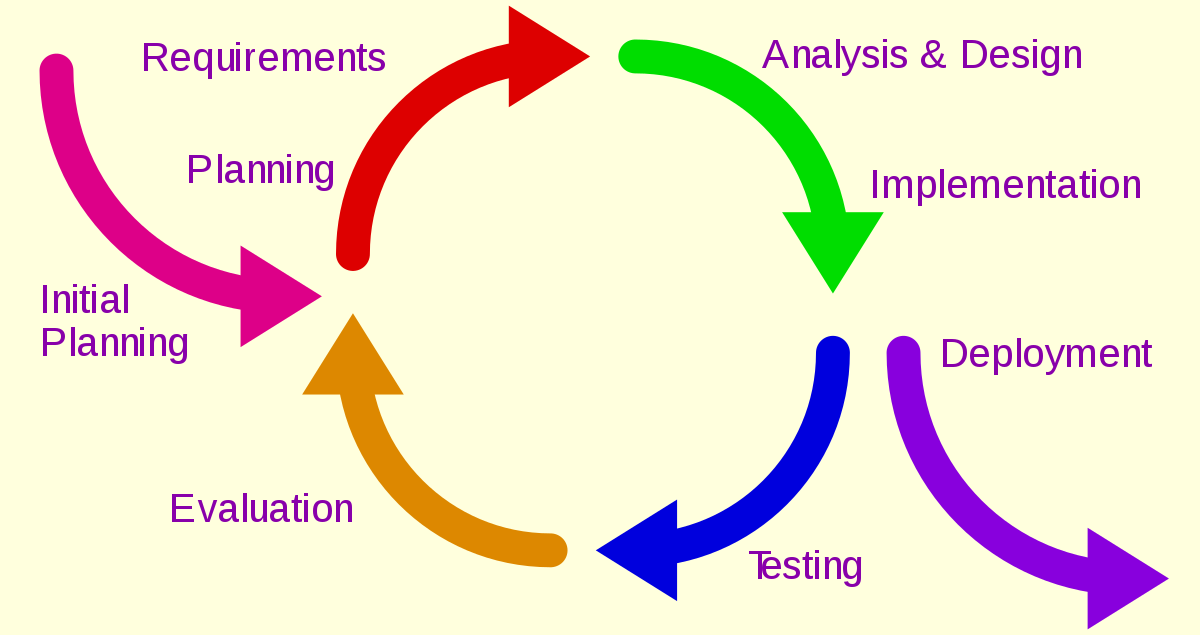
Planning and Development
|
The focus of this assessment is the planning process, you will need to show the planning process from start to finish in order to complete this assessment.
You will need to consider social and ethical conventions for your creations. |
Marking Schedule
For an achieved grade you will need to do the following:
Consider your target audience, and what their demands will be (social)
Create a brainstorm including at least 10 different ideas for your media output
Refine your idea down to 2 main ideas and write them down
Create a mock up of what it is going to look like
Evaluate the mock up of your design in terms of
- Social Considerations
- Ethical Considerations
- End User Considerations
Choose the software you want to create your outputs
Create your two digital outputs
Test your outcomes
For a merit grade you will need to do the following:
Meet the requirements of achieved
Gather some feed back and improve the quality of your outcome
Ensure there are no errors or mistakes in your outcome
For an excellence grade you will need to do the following:
Meet the requirements of achieved and merit
Use iterative development to enhance the quality of your outcomes (at least 3 different versions)
Ensure professional quality for the outcomes (you may wish to use the teacher as a tester for this)
Consider your target audience, and what their demands will be (social)
Create a brainstorm including at least 10 different ideas for your media output
Refine your idea down to 2 main ideas and write them down
Create a mock up of what it is going to look like
Evaluate the mock up of your design in terms of
- Social Considerations
- Ethical Considerations
- End User Considerations
Choose the software you want to create your outputs
Create your two digital outputs
Test your outcomes
For a merit grade you will need to do the following:
Meet the requirements of achieved
Gather some feed back and improve the quality of your outcome
Ensure there are no errors or mistakes in your outcome
For an excellence grade you will need to do the following:
Meet the requirements of achieved and merit
Use iterative development to enhance the quality of your outcomes (at least 3 different versions)
Ensure professional quality for the outcomes (you may wish to use the teacher as a tester for this)
